The Setup
I run my Next.js applications on my own servers rather than a managed platform. The deployment flow I landed on is simple: push to main, and GitHub Actions SSHes into the server, pulls the latest code, rebuilds, and restarts the PM2 process. No external services, no containers - just a clean pipeline that's easy to reason about.
This guide walks through the full setup from scratch:
- Cloning the project and doing the initial build
- Nginx as a reverse proxy
- PM2 to keep the app running
- GitHub secrets and SSH key setup
- The Actions workflow
Initial Server Setup
SSH into your server and clone the repository:
git clone https://github.com/your-username/project.git /var/www/project
Then do the first build manually so everything is in place before the automation takes over:
cd /var/www/project && npm ci && npm run build
Nginx Reverse Proxy
Next.js runs on port 3000 by default, so we need Nginx to forward incoming HTTP traffic to it. In my case the site sits behind Cloudflare, which acts as the SSL terminator - so Nginx only needs to handle port 80 and proxy everything through.
Create /etc/nginx/sites-available/project.conf:
server {
  listen 80;
  listen [::]:80;
  server_name example.com;

  location / {
    proxy_pass http://localhost:3000;
    proxy_http_version 1.1;
    proxy_set_header Upgrade $http_upgrade;
    proxy_set_header Connection 'upgrade';
    proxy_set_header Host $host;
    proxy_cache_bypass $http_upgrade;
  }

  location ~ /.well-known {
    allow all;
  }
}
Enable the config and reload Nginx:
sudo ln -s /etc/nginx/sites-available/project.conf /etc/nginx/sites-enabled/project.conf
sudo nginx -t && sudo systemctl reload nginx
If you're managing your own SSL instead of using Cloudflare, refer to the Certbot setup in the Grafana Monitoring with OSS Tools article - the same approach applies here.
PM2
PM2 is a production process manager for Node.js. It keeps the application running 24/7, auto-restarts it on crashes, and - importantly - survives server reboots.
Install it globally:
npm install -g pm2
Navigate to the project directory and start the app:
pm2 start npm --name project -- start
The --name flag is the identifier you'll use in the deploy script to restart the right process. Save the process list so PM2 knows to restore it after a reboot:
pm2 save
Then register PM2 as a system service:
pm2 startup
This prints a command - run it to complete the setup. From that point on, the app will come back up automatically after a server restart.
GitHub Secrets and SSH Key
GitHub Actions needs to authenticate with your server. Rather than reusing an existing key, I generate a dedicated deploy key:
ssh-keygen -t rsa -b 4096 -C "Deploy key" -f ~/.ssh/deploy_key
Leave the passphrase empty - the action runs non-interactively.
Copy the public key to the server's authorized keys file:
cat ~/.ssh/deploy_key.pub | ssh user@your-server "cat >> ~/.ssh/authorized_keys"
Now add the secrets in GitHub under Settings → Secrets and variables → Actions → Repository secrets:
| Secret | Value |
|---|---|
SSH_HOST |
your server IP or hostname |
SSH_USER |
SSH username (e.g. ubuntu) |
SSH_PRIVATE_KEY |
contents of ~/.ssh/deploy_key (the private key) |
SSH_PORT |
SSH port - omit if using the default 22 |
For better security, consider creating a dedicated deploy user on the server with access only to the project directory, rather than using your main user.
GitHub Actions Workflow
Create .github/workflows/deploy.yml in the repository:
name: Deploy

on:
  push:
    branches:
      - main

jobs:
  deploy:
    runs-on: ubuntu-latest

    steps:
      - name: Deploy via SSH
        uses: appleboy/[email protected]
        with:
          host: ${{ secrets.SSH_HOST }}
          username: ${{ secrets.SSH_USER }}
          key: ${{ secrets.SSH_PRIVATE_KEY }}
          port: ${{ secrets.SSH_PORT || 22 }}
          script: |
            cd /var/www/project
            git pull origin main
            npm ci
            npm run build
            pm2 restart project
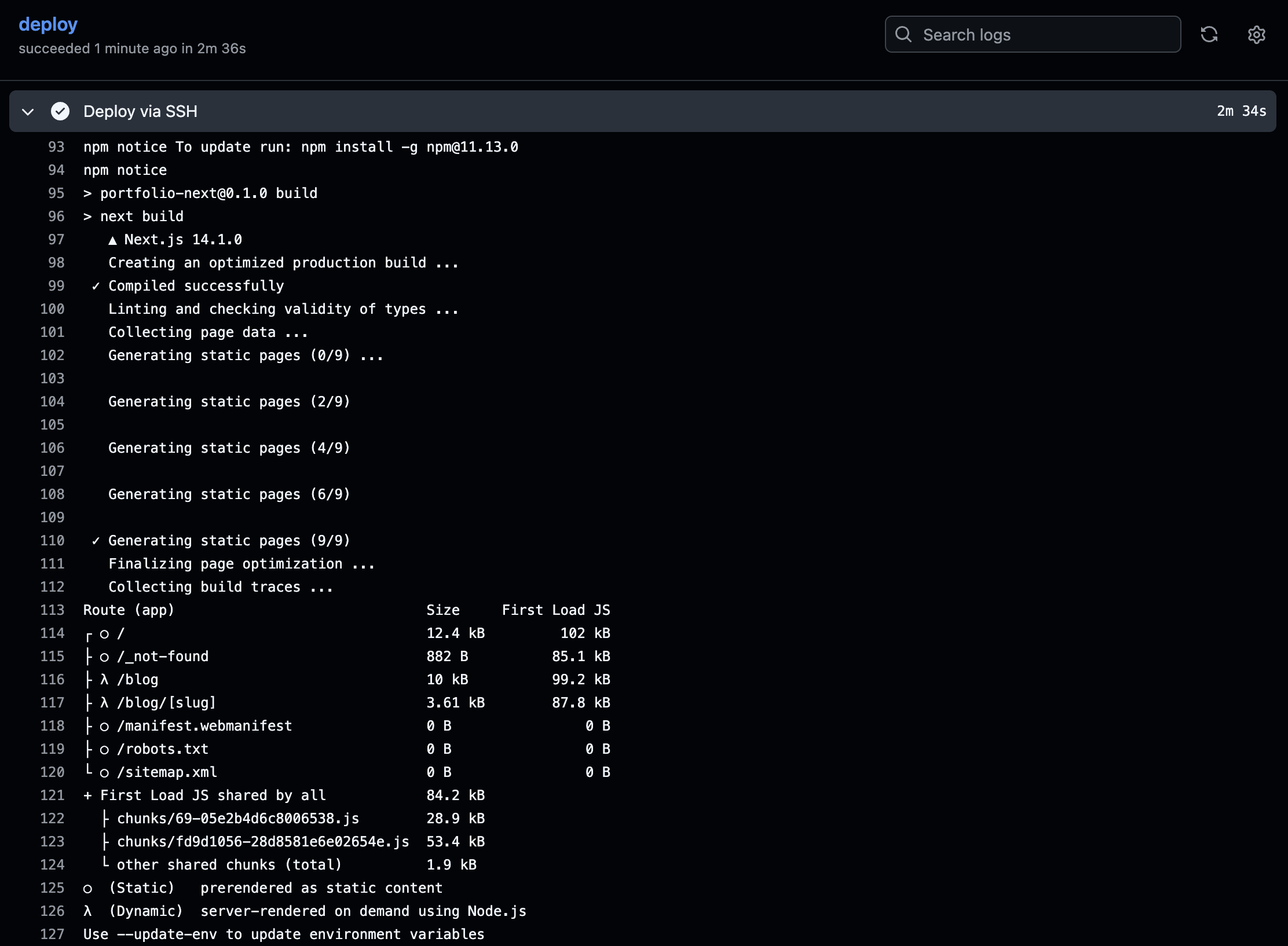
Every push to main triggers the workflow. It SSHes in, pulls the latest changes, does a clean install, rebuilds, and restarts the PM2 process. The whole thing takes about a minute depending on the build size.

Wrapping Up
This is the simplest deployment setup that actually works reliably in production. No infrastructure overhead, no surprise bills - just a server, PM2, and a 25-line workflow file.
Once the app is deployed and running, the natural next step is observability. Grafana Monitoring with OSS Tools covers setting up metrics, logs, and alerting for exactly this kind of setup.
Thank you for reading, and let's connect!